To learn more about School Years in the Classic Version of ESGI, click here.
Overview
When a teacher retires or leaves, their account can be transferred to the new teacher. This allows the new teacher to quickly access student information and continue testing from where the previous teacher left off.
Note: A teacher account cannot be transferred if it has expired.
Requesting to transfer a teacher account
- To transfer a teacher's account, please begin by completing the Account Transfer form.
- After completing the form, you will receive an email from Customer Support containing their username and directions on how to access their new account.
Setting up an account after the transfer
Once the teacher account is transferred, the new account holder should update additional information in the account profile:
- Click the My Account icon on the bottom left of the screen.
- Click the Expand button on the top right of the screen.
- Update Personal Information
- Add Profile picture (Optional)
- Edit First Name and Last Name
- Update Location (If needed)
Editing your Class Name
- On the Homepage, select the Edit pencil next to the Class Name (Image 1).
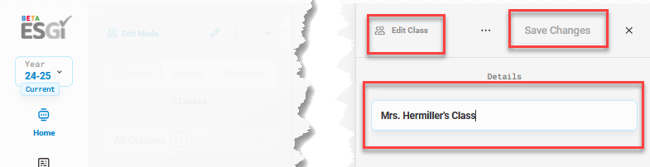
- Rename the class and click Save Changes (Image 2).
Image 1
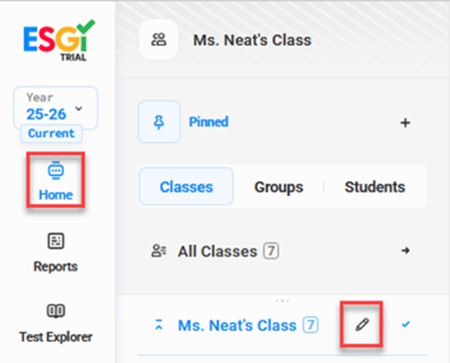
Image 2