Overview:
You can easily switch from the Classic ESGI to the New Teacher Homepage.
Note: Certain features and components, such as Benchmark Tests and the AI Translation Tool are only available in the New Teacher Homepage Version of ESGI.
To switch from the Classic version to the New Teacher Homepage
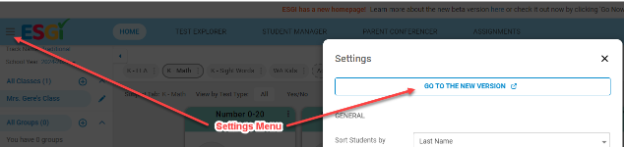
1. Click the Hamburger  icon at the top left corner of the screen.
2. Click Settings.
3. Click GO TO THE NEW VERSION (see Image 1).
Image 1
To switch from the New Teacher Homepage back to Classic ESGI
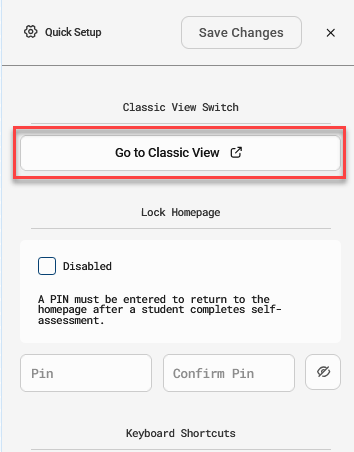
1. Click on the on the settings cog  icon located at the bottom left corner of the application to open the System Settings.
2. Click the Go to Classic View button (see Image 2).
Image 2