To learn more about Finding Shared Tests in the Classic Version of ESGI, click here.
Overview:
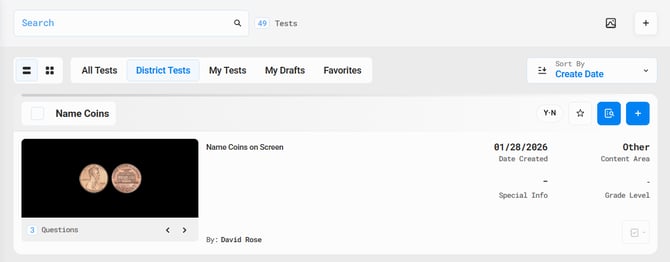
Once you are linked to your district, tests that admins or colleagues have created and shared can be found in Test Explorer.
Step-by-Step Instructions:
1. Select Text Explorer from the column located on the left side of the home page.
2. Click on the District Tests tab to view the Tests published and shared by users in your district (see Image 1).
Note: The District Tests tab excludes your own tests.
3. Click on the Preview test  button to see the questions before adding it to your Home Screen.
4. Our Add a Test to the Home Screen Support Page provides step-by-step instructions on how to add shared tests to your ESGI home screen.
Image 1