Overview
A Single Score Test allows educators to record one overall numeric score for a student’s assessment or performance. nstead of evaluating multiple questions or skills individually, the educator enters the student’s final score based on the total number of points available.
Single Score Tests are helpful when an activity is scored as a whole or when the score is calculated outside ESGI.
For example, if a writing assessment is worth 10 points and a student earns 8 points, the educator enters 8. ESGI records the result as 8 out of 10, or 80%.
When to Use a Single Score Test
Use a Single Score Test for an assessment that produces one final numeric score, such as:
- Rubric-based writing assessments
- Speaking or presentation activities
- Reading fluency assessments
- Running records
- Performance tasks
- District benchmark assessments
- Assessments scored outside ESGI
A Single Score Test can also be used when educators need to track a score over time without recording results for individual test items.
Creating a Single Score Test
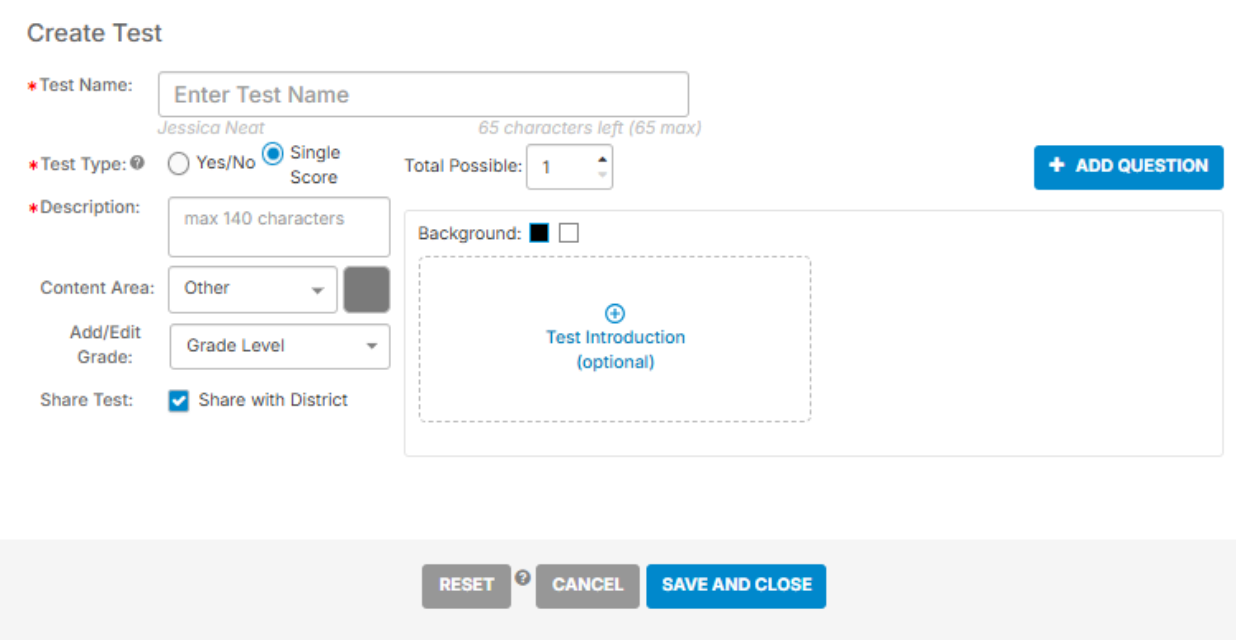
When creating a Single Score Test, enter the following required information:
- Test name
- Test description
- Total possible points
The total possible points must be entered as a whole number. Decimal values cannot be used.
You can also select a content area, grade level, or district-sharing option.