To view this article in Classic select the link.
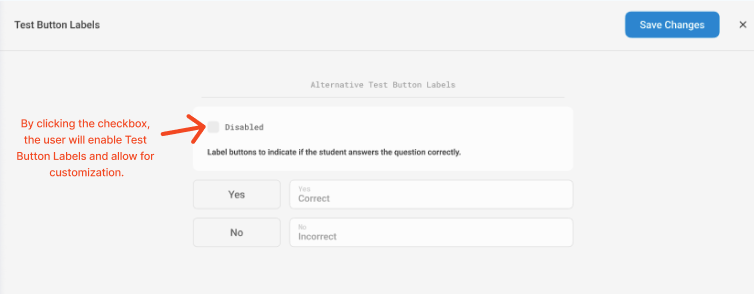
The test button labels (Y and N) can be edited to other letters by editing your Account Settings. Step-by-step instructions are provided below:
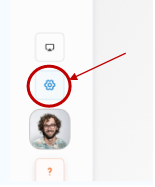
- Click the “Settings” button from the drop-down list.
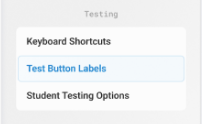
- In the settings menu, select Test Button Labels
- Customize. Edit the labels (i.e., Y, N, R, W for right and wrong). When you finish click the “Save” button.